Recovery after interruptions
Refreshes, back and forward navigation, closed tabs, browser restarts, crashes after a save, and expired sign-ins. Sign in again, go back to the form, and restore your text. Form Rescue never saves login details.
Alpha · open source
Recover saved form drafts after refreshes, closed tabs, and interrupted sessions. Local to your browser. Open source.
Firefox: install from the official add-on store. Chrome and Edge aren't in the browser stores yet. Download the free developer build. It takes about a minute.
Form Rescue is a desktop browser extension. Open this page on a desktop computer to install it.
Protect the sites you choose. Sensitive fields are excluded by default.
Demo
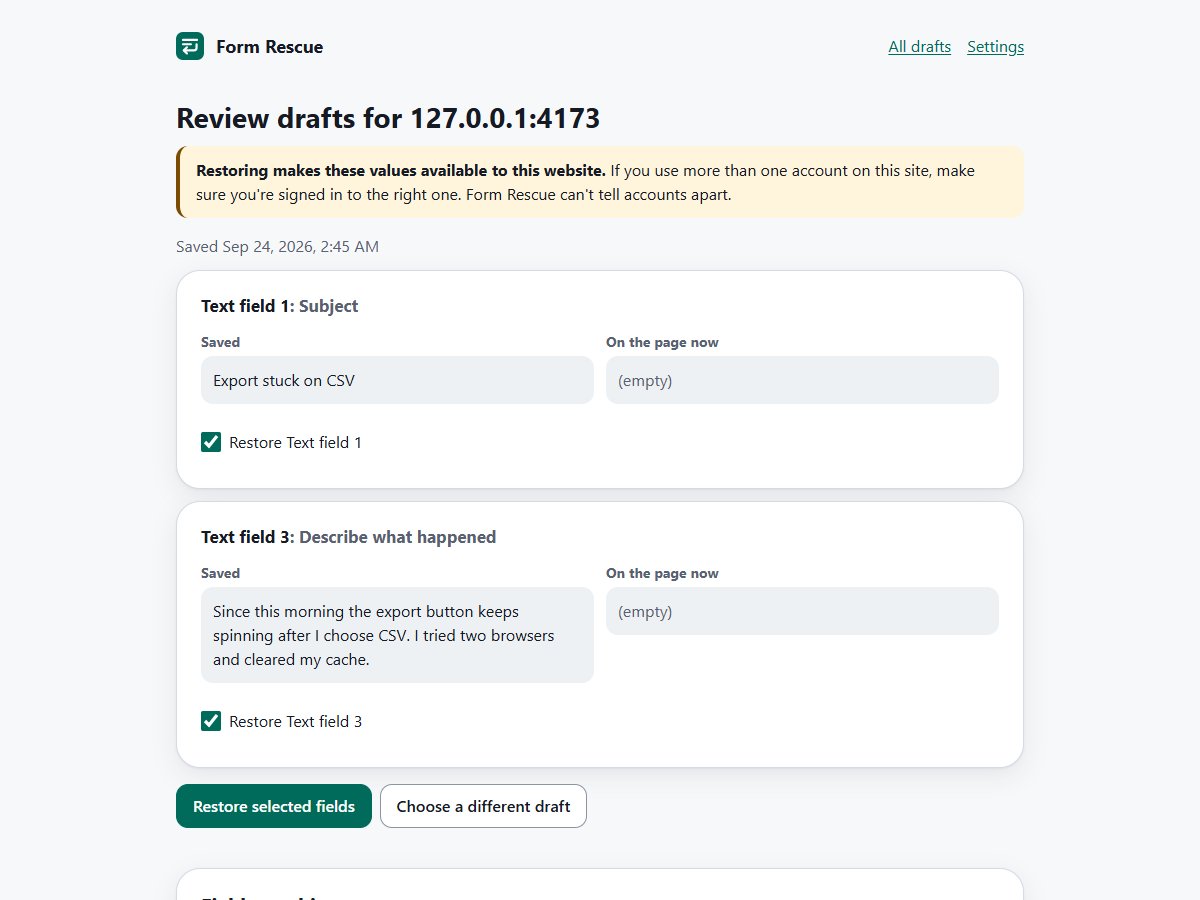
Type on a site you enabled, lose the page, then choose which saved fields to put back. Nothing is restored until you confirm.
Interactive simulation. The real extension needs to be installed and allowed on the site.
Contact support
The page refreshed and the form is empty.
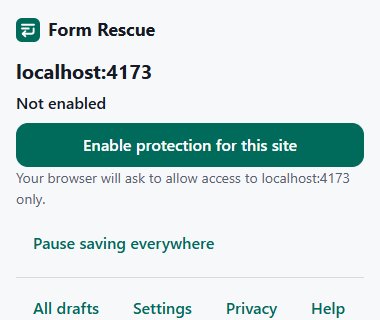
Click the toolbar button on a site you write on and allow access to that one site.
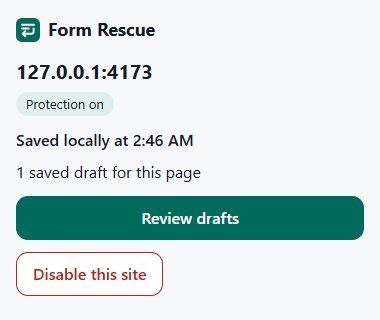
About a second after you pause, your draft is committed to this browser. “Saved” appears only once it really is.
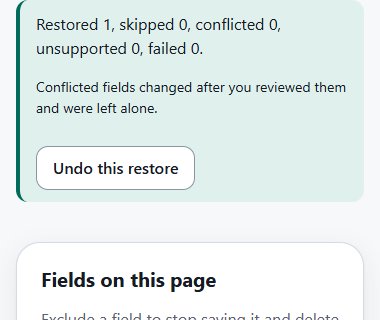
After a refresh or a closed tab, open Review drafts, compare, and restore the fields you pick.
Refreshes, back and forward navigation, closed tabs, browser restarts, crashes after a save, and expired sign-ins. Sign in again, go back to the form, and restore your text. Form Rescue never saves login details.
Saved and current values are shown side by side on a page the website can't see. Empty fields can be filled in one click; anything already on the page needs an explicit “Replace”. If a field can't be matched with confidence, you get a copy button instead of a guess, and you can undo a restore.
Every draft is grouped by site in a library you can filter, expand, copy from and delete. Drafts from two tabs stay separate. Nothing is kept forever: 7 days by default, or 1 or 30.
Turn protection on per site, pause everything with one switch, exclude individual fields, and decide whether disabling a site also deletes its drafts.
Privacy
There's no account, nothing is uploaded, and there's no telemetry. Passwords, one-time codes and payment fields are skipped, drafts expire after 7 days by default, and you can delete them at any time.
Desktop only. Brave and other Chromium browsers may work but aren't tested. Browser support details
Native text boxes, text areas, dropdowns, checkboxes and radio groups on ordinary web pages, including forms added after load, common React and Vue forms, and open shadow DOM.
Rich-text editors, file uploads, embedded frames, private windows, mobile browsers and Safari. The final second of typing before a crash may not be saved.
Form Rescue is MIT-licensed. The tests use synthetic pages only, so you never need real drafts to contribute.
pnpm install --frozen-lockfile
pnpm build        # Chrome/Edge + Firefox + website
pnpm test         # unit tests
pnpm test:e2e:chromeText you type into ordinary text boxes and text areas, plus choices in non-sensitive dropdowns, checkboxes and radio groups, only fields you actually edited, only on sites you enabled. Form Rescue saves about a second after you pause and keeps the latest three versions of each draft.
Only the sites you turn on, one at a time, from the toolbar button. Protection covers exactly that scheme, host name and port. Nothing is protected by default, and you can see and remove every protected site in Settings.
No. Password, one-time-code, payment, bank and identity fields are excluded, and so is any whole form that contains them. Email, phone, number, date and similar inputs are excluded too. These checks run on the field's type and labels before its value is read.
Yes, it can. If you type something private into an ordinary message box, Form Rescue has no reliable way to know. It screens values for obvious secrets such as private keys, access tokens and card numbers, but that is a heuristic. Leave protection off for sites where you write highly sensitive text, or exclude that field.
In this browser profile only, inside the extension's own storage, which websites cannot read. There is no account, no server and no sync.
Not by Form Rescue. Drafts rely on your browser's and operating system's protections. Anyone who can use this browser profile, or read its files, can read the drafts.
Seven days after your last edit by default. You can choose 1, 7 or 30 days. Shortening the period deletes older drafts immediately. Expired drafts are removed the next time the extension runs; this is not forensic secure erasure.
Yes. Saving, reviewing and restoring all happen locally and never need a network connection.
Form Rescue can't tell whether a submission succeeded, so it keeps the draft, marks it as a submission attempt, and lets you delete it. Otherwise it expires normally.
No. It never saves or restores sign-in details. After a session expires, sign in as usual, go back to the form, and restore your text from Review drafts.
Form Rescue matches fields conservatively. If a form was redesigned or a field can't be identified with confidence, it won't guess, you can still copy the saved text from the review page or the draft library.
No. Form Rescue does not run in private or incognito windows.
Your browser deletes the extension's storage, including every draft. Clearing browser data or losing the profile or device also removes them. Form Rescue is not a backup.
To read what you type on a page, a browser extension must be allowed to run there. Form Rescue asks for one site at a time, only when you click “Enable protection for this site”, so it never has access to sites you didn't choose.
No. File uploads, images, rich-text formatting, embedded frames and canvas-based editors are not saved.
Drafts are committed about a second after you stop typing. If the tab crashes, the computer loses power, or the browser is closed before that, the newest words may not have been saved yet. The popup only says “Saved” after a save has actually completed.
Yes, if they can use your browser profile. Use a separate operating-system account or browser profile, lower the retention period, or delete drafts when you finish.
No. The extension has no analytics, crash reporting, remote configuration or tracking of any kind. The optional diagnostic summary is shown to you first and only leaves your computer if you paste it somewhere yourself. This website's host may keep ordinary access logs.
The source is MIT-licensed. With Node.js 24 and pnpm, run pnpm install and pnpm build to produce the Chrome/Edge and Firefox builds, or download the ready-made ZIPs from the GitHub releases page. The contributing guide has the details.
Install it from Firefox Add-ons, or load the developer build in Chrome or Edge, then turn it on for the sites where you write long text.
Firefox: install from the official add-on store. Chrome and Edge aren't in the browser stores yet. Download the free developer build. It takes about a minute.
Form Rescue is a desktop browser extension. Open this page on a desktop computer to install it.